Have you ever wondered how people communicated just 20-25 years ago? I remember when my grandmother used to say, “Writing letters was so much fun, it took weeks to get a reply!” But today? A message reaches any corner of the world in a second. That is the importance of computer in the world of communication.
In today’s article, I will tell you in detail about 10 uses of computer in communication. Whether you are a student, a professional, or just a technology enthusiast, this information will be very beneficial for you.
How did computers change communication?
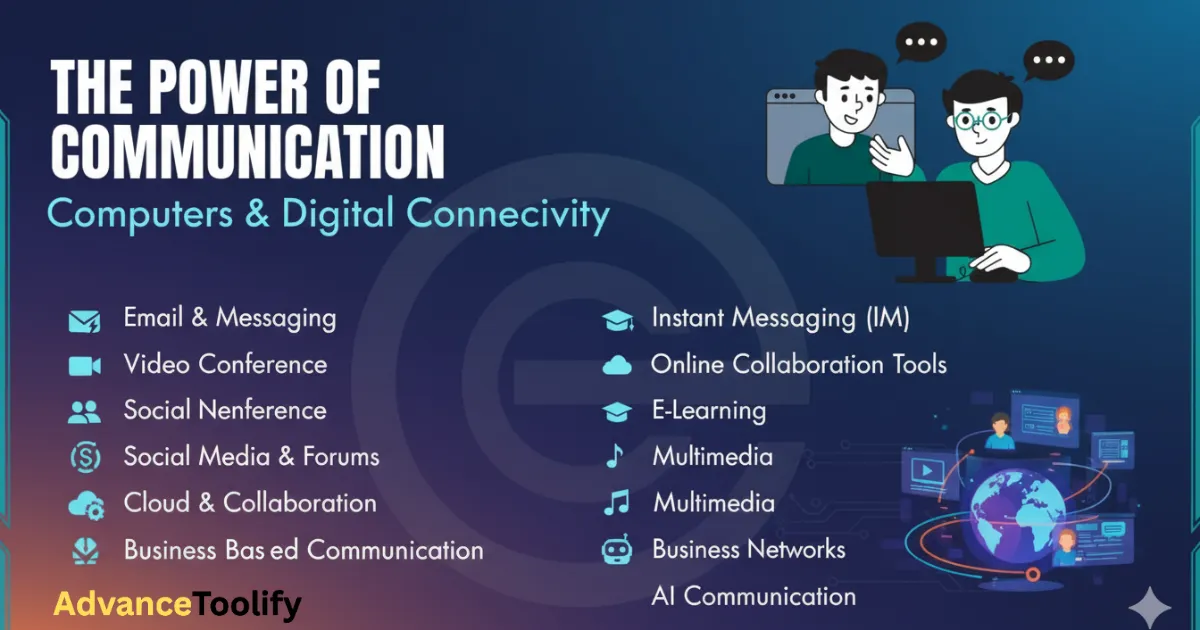
Look, computers have completely revolutionized human communication. Where earlier it used to take days to send a message, now real-time communication is possible. So let’s look at 10 uses of computers in communication with examples.
1. Email Communication
Email is probably the first thing that comes to mind. Now think about it – you can send a message to anyone, anywhere in the world, in a matter of seconds. I sent my first job application via email, and got a response within 24 hours!
Practical example: A student can email documents for admission to his foreign university, without a courier.
2. Social Media Connectivity
Facebook, Twitter, Instagram – these social media platforms are the religion of computers. You can stay connected with your friends, family, and people from all over the world.
You would think that social networks are just for entertainment, but no! Businesses, politicians, and educators all use them.
3. Video Conferencing
This is my favorite! Zoom, Skype, Google Meet – all these platforms are used for video conferencing. During COVID-19, they have become a part of everyone’s life.
Personal experience: I attended my uncle’s wedding on Zoom, which was in Australia. Earlier, this was not possible!
4. Instant Messaging
WhatsApp, Telegram, Signal – all these are instant messaging apps. You can chat, share voice notes, pictures, everything in real time.
5. Online Education & Webinars
Talking about 10 uses of computer in communication for students, this is the most important. Now students can study from the best universities in the world sitting at home.
• Can attend live classes
• Can ask questions to teachers
• Study material is available instantly
• Group discussions can be held online
6. Business Communication
Companies now use video calls, emails, and project management tools. Not everyone needs to come to the office for a meeting.
Benefit: Saves time and money.
7. Blogging & Content Creation
Today, people share their thoughts, experiences, and knowledge through blogs, YouTube videos, and podcasts. That’s the beauty of modern communication!
8. Telemedicine
Doctors can now consult with patients online. This is a lifesaver, especially for those living in remote areas.
I remember when my grandmother fell ill at night, we immediately video called the doctor and got initial guidance.
9. Online Customer Support
Chatbots, live chat, and email support – companies now support customers 24/7. They can get help anytime, anywhere.
10. Instant News Distribution
News are now instant. When an event occurs, people around the world know about it within seconds.
Key points of 10 Uses of Computer in Communication Essay
If you are writing 10 uses of computer in communication essay then make sure to include these points:
• Speed: Instant communication is possible
• Convenience: Can communicate from anywhere
• Cost-effective: Cheaper than traditional methods
• Accessibility: Available to everyone
• Multimedia: Text, audio, video can all be shared
Challenges and Precautions
Like everything, computer communication also has some challenges:
• Privacy concerns: your data can leak
• Cyber security: risk of hackers
• Over-dependence: too much dependence is harmful to health
• Digital divide: not everyone has access
Advice: always use strong passwords and share personal information carefully.
Practical Tips for Students
If you want to learn more about 10 uses of computer in communication for students:
• Join online study groups
• Attend educational webinars
• Ask teachers questions via email
• Use social media constructively
• Learn digital etiquette
If you can read other blogs, then click here.