Updated & refreshed content:
MAP (Mean Arterial Pressure) Calculator
Introduction:
MAP calculator BP calculates your average blood pressure. It is an important medical tool used by doctors. Your heart pumps blood with every beat. This calculator calculates this pressure accurately.
BP map calculator gives you instant results. You don’t need to do complicated calculations. Just enter your systolic and diastolic readings. This tool automatically calculates MAP.
Map bp calculator is very easy to use. Anyone can use it at home.
Who can use it?
Patients and the general public
You can check your blood pressure at home. This calculator is especially useful for the elderly. Patients with high blood pressure use it daily.
Medical staff
Doctors and nurses use it in the clinic. Physiotherapists also benefit from this device. Medical students use it in their studies.
Fitness enthusiasts
Gym trainers monitor the health of their clients. Athletes use it to improve their performance.
Advantages of Calculator
Easy and Fast Results
You only need to enter two numbers in the SBP and DBP boxes. This calculator instantly calculates your MAP. No need to press any buttons. The result comes as soon as you type the numbers.
Free and Accessible
This calculator is completely free. You don’t need to buy any software. It can be used on both mobile and computer.
Accurate Results
This device provides results according to medical standards. You don’t risk getting wrong readings. Doctors also use the same formula.
Better Health Monitoring
You can see the trend of your blood pressure. Daily use improves your health. Prevention of dangerous situations becomes possible.
How to use – step by step instructions
Step 1: Enter Systolic Pressure
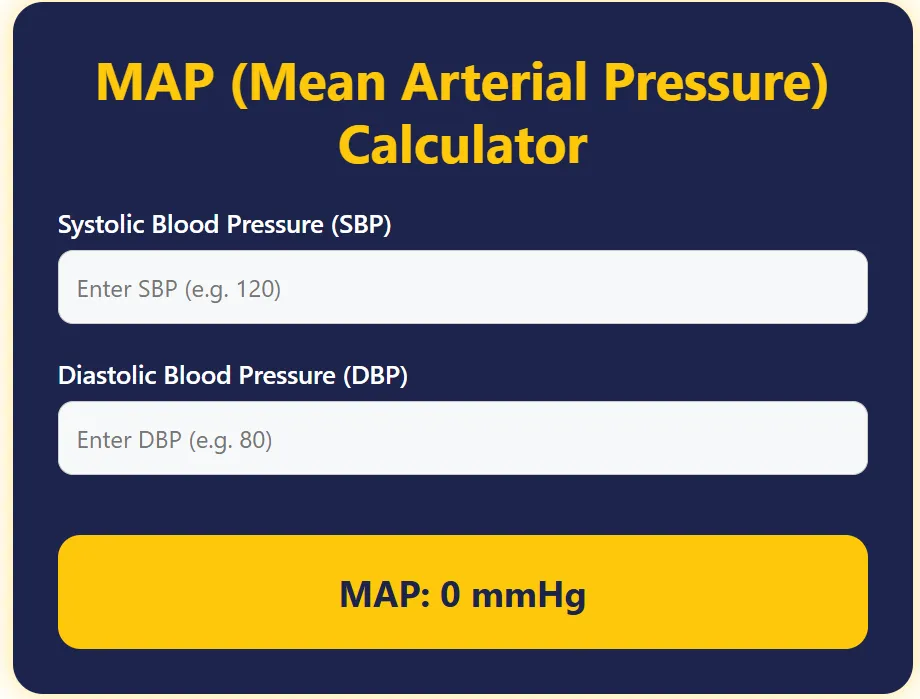
The first box says “Enter SBP (e.g. 120)”. Here you write your upper blood pressure. For example, if your pressure is 130/85, then type 130 in the first box.
Step 2: Enter Diastolic Pressure
The second box says “Enter DBP (e.g. 80)”. Here you enter the lower number. In our example, it will be 85.
Step 3: Get instant results
As soon as you enter both the numbers, this bp map calculator will automatically calculate. In the yellow box below, replace “MAP: 0 mmHg”. Your correct MAP result will be displayed.
Step 4: Understand the result
The map bp calculator will give you the result in mmHg. The normal MAP range is between 70-100 mmHg. If your result is higher or lower than this,
Practical Examples – With Calculator
Example 1: Normal Blood Pressure
Suppose your blood pressure is 120/80. Type 120 in the first box “Enter SBP”. Type 80 in the second box “Enter DBP”. MAP calculator will immediately show 93.3 mmHg. This is perfectly within the healthy range.
Example 2: High Blood Pressure
If your reading is 150/95. Enter 150 in the SBP box. Type 95 in the DBP. This bp map calculator will give you a result of 113.3 mmHg. This is a high level and medical advice is necessary.
Example 3: Low Blood Pressure
Suppose your pressure is 90/60. Type 90 in the first box. Type 60 in the second. Map bp calculator will show you 70 mmHg. This is a low level but may be normal for some people.
Caution while using calculator
Always enter the correct numbers. Incorrect data will give incorrect results.
Check out latest updates & share!